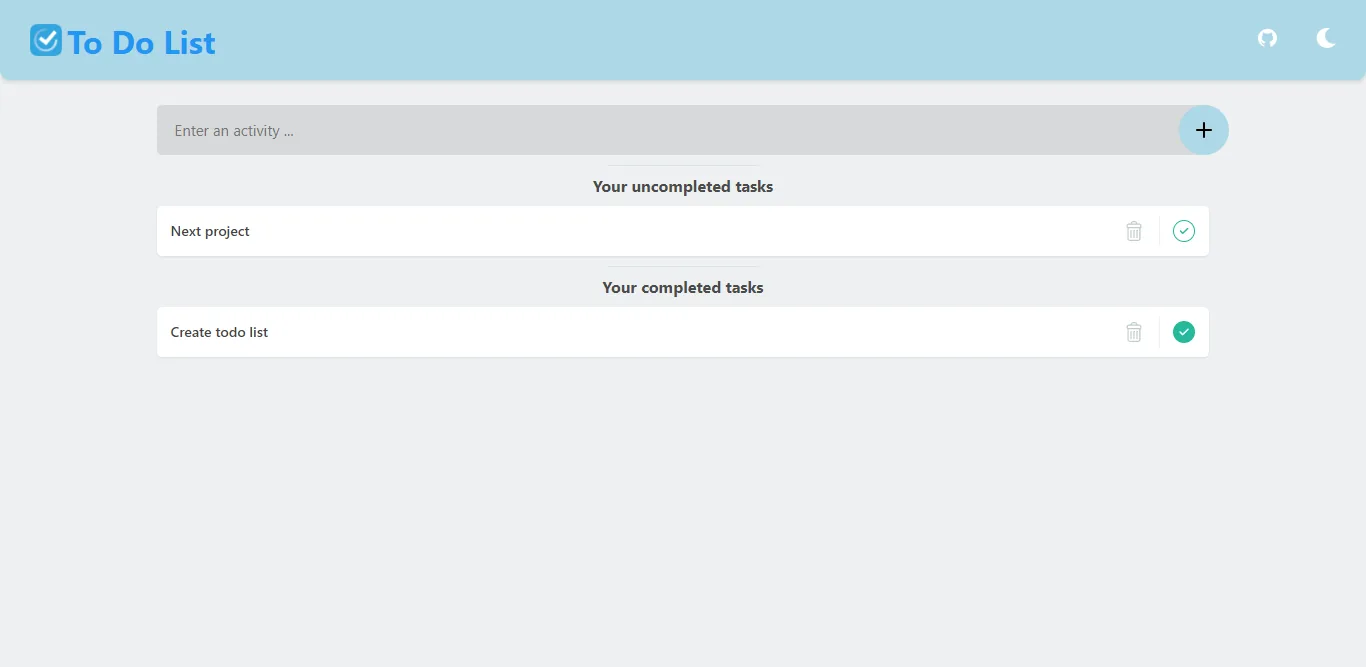
A to-do list web app written in plain HTML, CSS and JavaScript. Add, edit, complete and delete tasks, switch to dark mode, and find your list exactly as you left it the next time you open the page.
Goals#
A to-do list is a small app, which makes it a good place to practise the fundamentals properly: one source of truth for state, a UI that is always derived from it, persistence that can't get out of sync, and theming done with CSS rather than JavaScript. No framework, so every one of those had to be deliberate.
What it does#
- Task management — add, edit and delete tasks
- Completion tracking — mark tasks as done to see progress at a glance
- Responsive layout — comfortable on desktop and on a phone
- Dark mode — a darker theme for night-time use
- Persistence — tasks are saved in the browser and survive page refreshes
How it works#
One array, one source of truth#
All tasks live in a single array of objects. Every action — adding, editing, completing, deleting — follows the same three steps:
- Update the array.
- Save the array to
localStorage. - Re-render the list from the array.
function update(mutate) {
  mutate(tasks);
  localStorage.setItem('tasks', JSON.stringify(tasks));
  render(tasks);
}

update((tasks) => tasks.push({ id: Date.now(), text, done: false }));
Because the list on screen is always rebuilt from the array, and the array is always saved right after it changes, the UI, the data and the stored copy can't drift apart. On page load the array is read back from localStorage, and the app starts where it left off — with no backend at all.
Dark mode with CSS custom properties#
Colours are defined once as CSS custom properties on the root element, and the dark theme simply redefines them under a class:
:root {
  --bg: #ffffff;
  --text: #1f2937;
}

:root.dark {
  --bg: #111827;
  --text: #f3f4f6;
}
Every component uses var(--bg) and var(--text), so toggling one class on the root element switches the whole interface — no per-element style changes in JavaScript.
Responsive layout#
The layout adapts from desktop down to phone widths, so the list stays easy to use with a keyboard or a thumb.
Results#
- A live demo on GitHub Pages
- Tasks persist across sessions with zero backend infrastructure
- Dark mode and a responsive layout that work across devices



MIT License

Copyright (c) 2023 Ismail ZAHIR

Permission is hereby granted, free of charge, to any person obtaining a copy
of this software and associated documentation files (the "Software"), to deal
in the Software without restriction, including without limitation the rights
to use, copy, modify, merge, publish, distribute, sublicense, and/or sell
copies of the Software, and to permit persons to whom the Software is
furnished to do so, subject to the following conditions:

The above copyright notice and this permission notice shall be included in all
copies or substantial portions of the Software.

THE SOFTWARE IS PROVIDED "AS IS", WITHOUT WARRANTY OF ANY KIND, EXPRESS OR
IMPLIED, INCLUDING BUT NOT LIMITED TO THE WARRANTIES OF MERCHANTABILITY,
FITNESS FOR A PARTICULAR PURPOSE AND NONINFRINGEMENT. IN NO EVENT SHALL THE
AUTHORS OR COPYRIGHT HOLDERS BE LIABLE FOR ANY CLAIM, DAMAGES OR OTHER
LIABILITY, WHETHER IN AN ACTION OF CONTRACT, TORT OR OTHERWISE, ARISING FROM,
OUT OF OR IN CONNECTION WITH THE SOFTWARE OR THE USE OR OTHER DEALINGS IN THE
SOFTWARE.